Artistic QR Codes for Restaurants: 8 Creative Ideas for Menus, Packaging and Marketing
Eight ideas for Artistic AI QR codes on menus, cups, takeaway packaging and window displays, plus how to match one to your brand, choose a destination and keep it scannable.
NG QRCode••11 min read
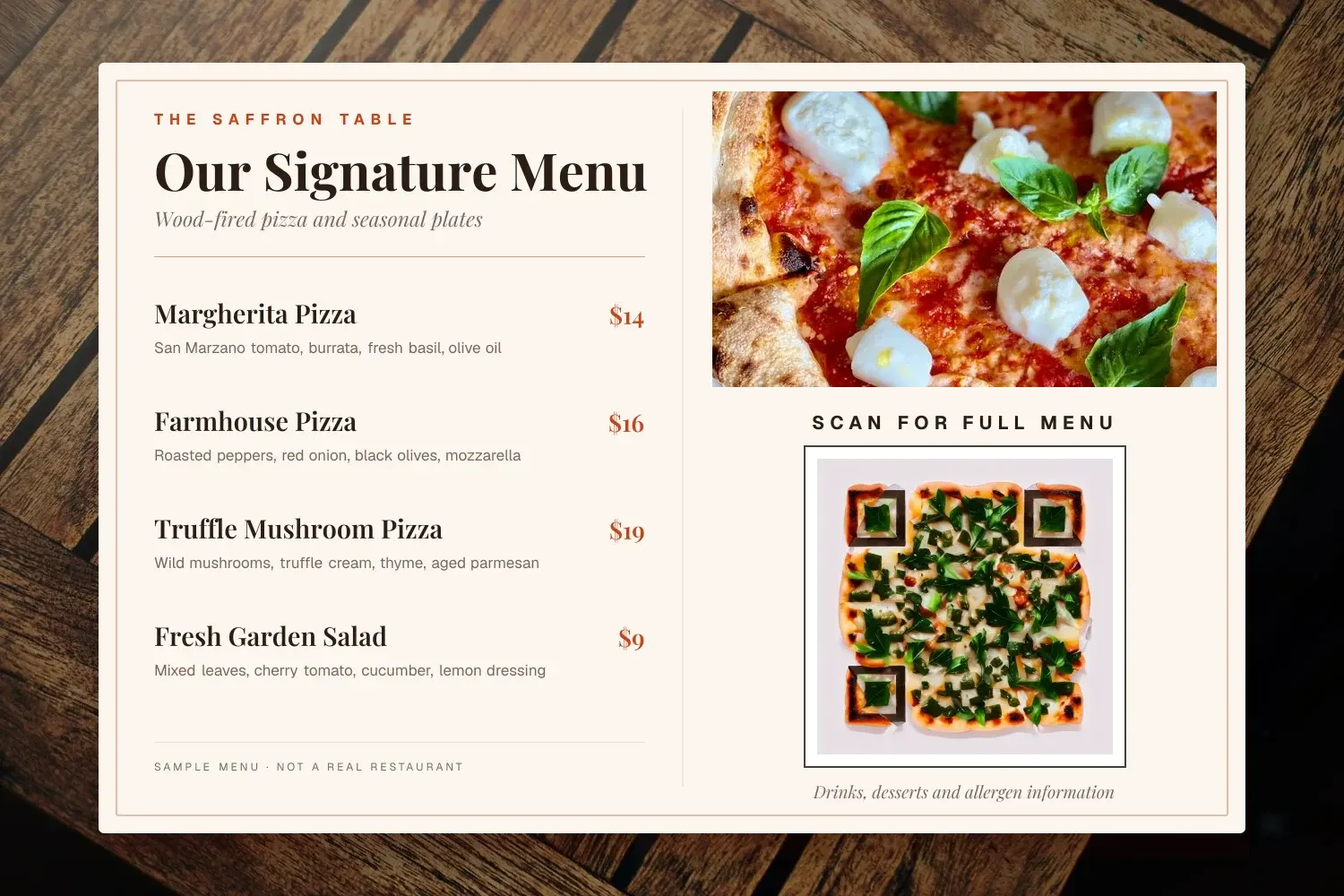
Illustrative mockup featuring an NG QRCode Artistic AI QR code. Sample menu, not a real restaurant.
Restaurants already put a lot of care into what guests see: the menu, the table, the packaging, the window. QR codes connect those physical moments to a digital destination, such as the menu, a booking page or a reorder page. The usual black-and-white square does that job, but it rarely looks like it belongs to the restaurant.
Short answer: restaurants can use Artistic AI QR codes on menus, table cards, cups, takeaway packaging and window displays, with artwork that matches the food and the brand. The code links to a page the restaurant already runs. The artwork, the call to action, the destination and the placement should be planned together, and the finished piece should be checked where it will be used.
This guide covers eight restaurant ideas, how to match a code to your brand, what to link it to, when to choose static or dynamic, and how to keep it scannable. The examples are hypothetical, and no external statistics are used.
Why Restaurants Are Using QR Codes
A QR code gives guests a quick way from something physical to something online. Common uses in restaurants and cafés include:
Digital menus on table cards and menu boards.
Table displays that point to specials, drinks or allergen notes.
Takeaway packaging that leads back to the menu for the next order.
Product and food information, such as ingredients or serving ideas.
Restaurant promotions, such as a new menu or a weekday offer.
Customer feedback after the meal.
Event and seasonal campaigns, such as a festive menu or a tasting night.
It helps to separate two things. The visual appearance is what guests see on the table or the bag. The destination is what they reach after scanning. An Artistic AI QR code changes the first. It does not, on its own, guarantee more scans, orders or sales. A good result comes from both halves working: a code that fits the brand and a page that is genuinely useful.
An Artistic AI QR code is a QR code blended with an AI-generated image, so the code and the artwork form one design. For styles and copy-ready prompts, including food and café directions, see our guide to AI QR code art and prompt ideas.
8 Creative Artistic QR Code Ideas for Restaurants
Each idea is a hypothetical scenario, not a real restaurant or result. The destinations are pages a restaurant would provide. NG QRCode creates the QR code; it does not run menus, ordering, reservations or reviews.
Idea 1
Restaurant menus
Visual direction: A signature dish or the cuisine's key ingredients, in colours taken from the menu and the dining room.
Where to place it: Table tents, menu cards, the back of a printed menu or a card by the till.
After scanning: The current digital menu, with allergen and dietary notes if the restaurant publishes them.
Design consideration: Tables are read from a seated position and under warm, low light. Use matte stock and check the code from where a guest sits.
Idea 2
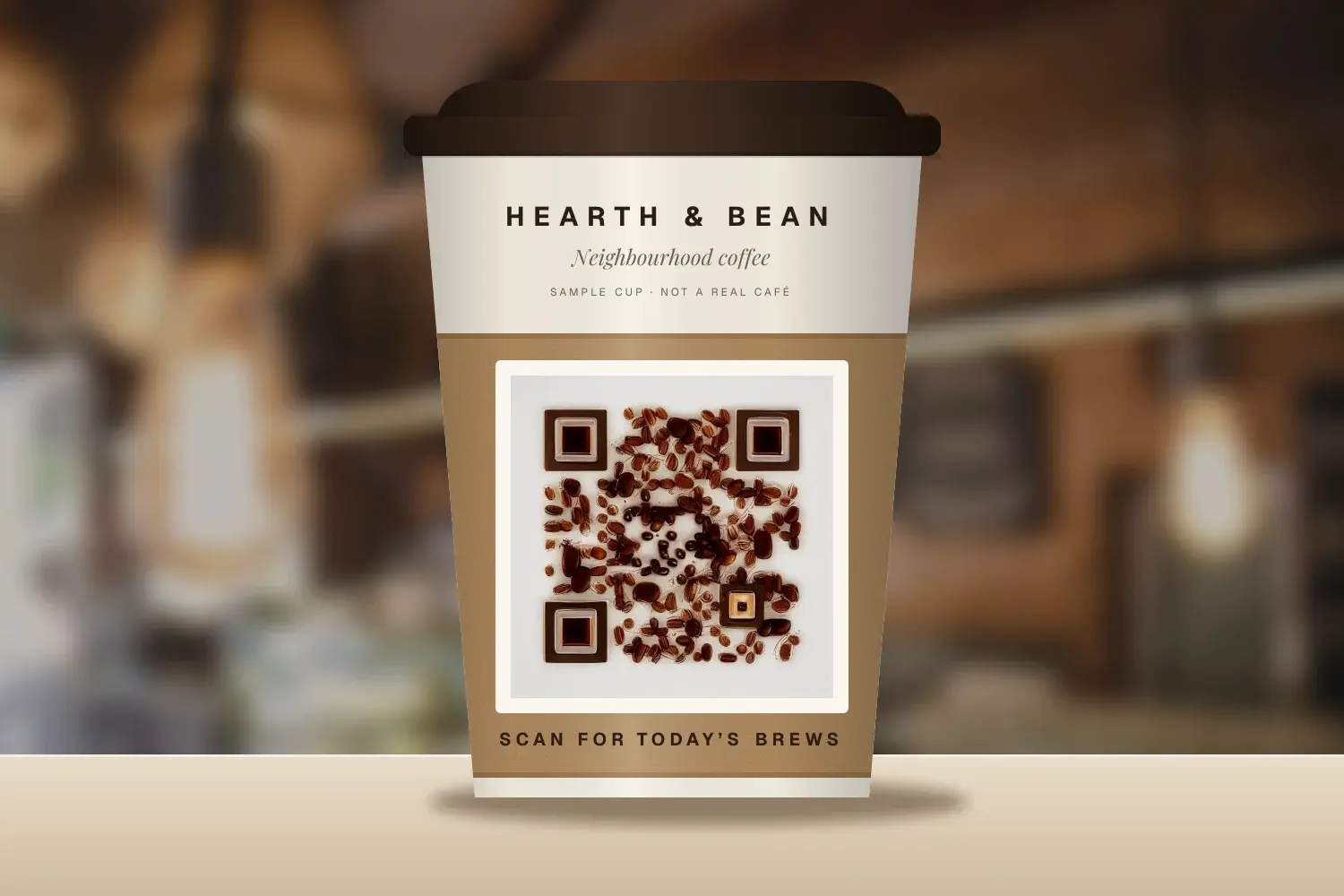
Café menus
Visual direction: Coffee beans, latte art or pastries, in a palette that echoes the café's interior and chalkboard menus.
Where to place it: Counter menus, chalkboard frames, table cards and the pastry cabinet.
After scanning: The drinks and food menu, or seasonal specials.
Design consideration: Counters are busy and people scan while queuing. Put the code at a comfortable height, away from the till screen and the queue line.
Idea 3
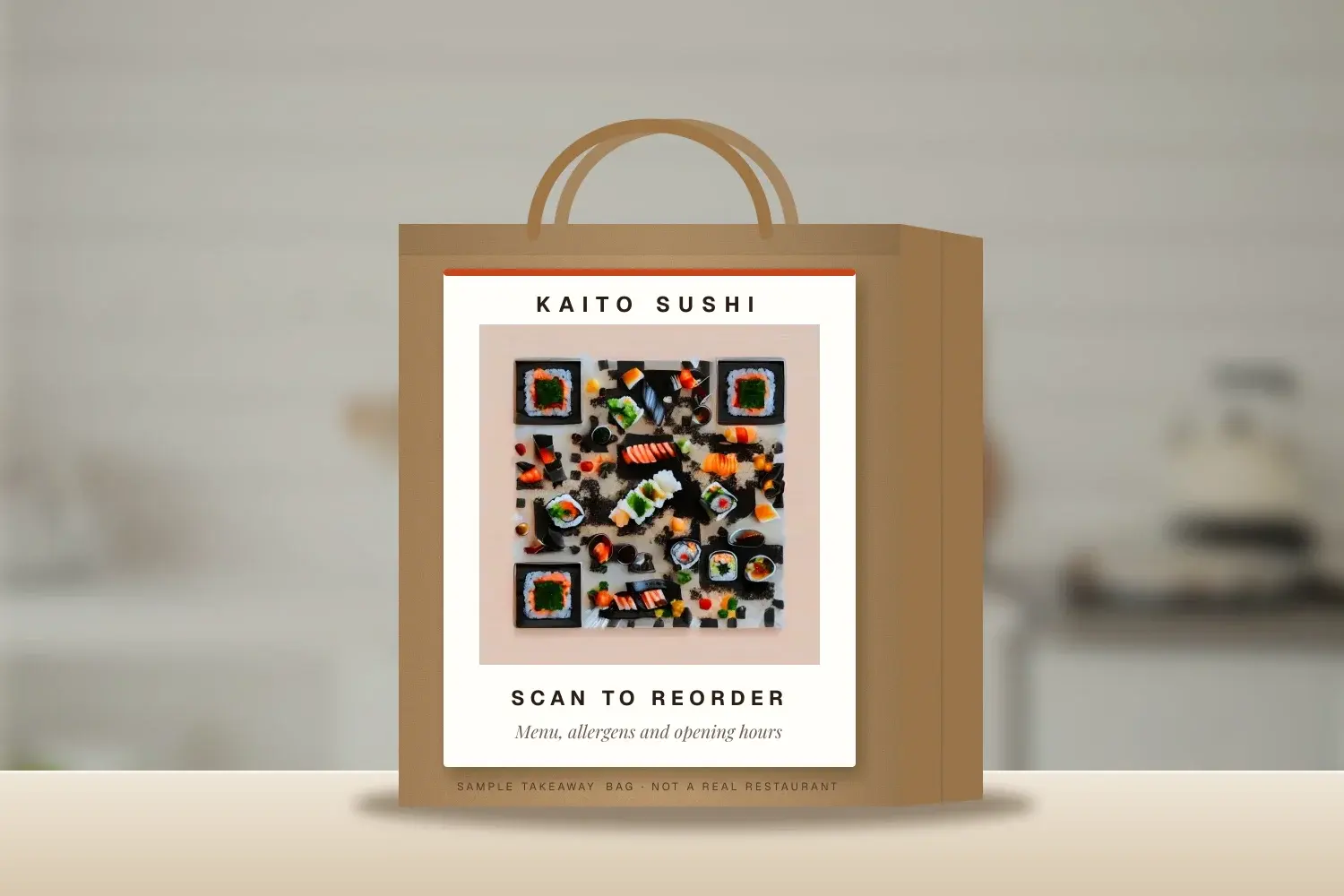
Takeaway packaging
Visual direction: The dish the box or bag usually carries, such as sushi, pizza or curry, on a clean background.
Where to place it: Bags, boxes, lids, stickers and inserts.
After scanning: The menu for reordering, opening hours or allergen information.
Design consideration: Kraft paper, grease and folds all affect the print. Put the code on a flat label or panel, not across a seam or crease.
Idea 4
Coffee cups and beverage packaging
Visual direction: Beans, crema or the drink itself, in a restrained palette that suits the cup and sleeve design.
Where to place it: Cup sleeves, cup stickers, bottle labels and can wraps.
After scanning: The café's menu, the origin story of a blend or a seasonal drink.
Design consideration: Cups are curved and small. Place the code where the surface is flattest, such as a sleeve panel or flat sticker, and test it on the real cup.
Idea 5
Restaurant promotions
Visual direction: Artwork tied to the offer itself, such as a seasonal dish, a festive dessert or a new menu item.
Where to place it: Posters, flyers, receipts and counter displays.
After scanning: A page that explains the offer, the seasonal menu or a booking page.
Design consideration: Promotions end. If the destination will change once the offer is over, plan for that before printing.
Idea 6
Customer feedback
Visual direction: A calm, simple subject that matches the brand, so the code feels like an invitation rather than a demand.
Where to place it: The bill folder, the receipt, a table card or a card in the takeaway bag.
After scanning: The restaurant's own feedback form or review page.
Design consideration: Say clearly what the scan is for, such as “Tell us how we did”, so guests know what to expect before they scan.
Idea 7
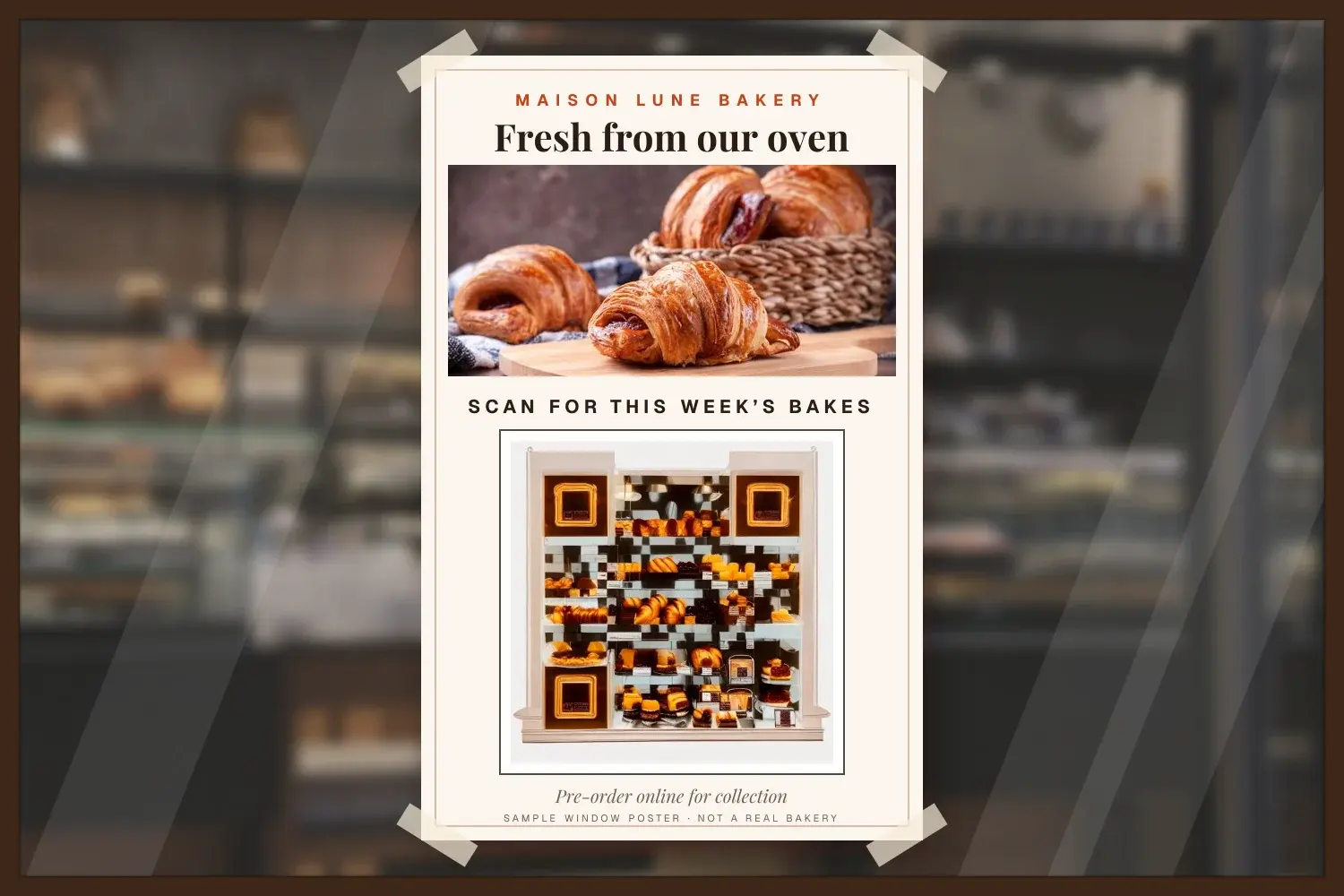
Window displays and outdoor promotion
Visual direction: A bold, recognisable image, such as a bakery display or a signature dish, that reads from a few steps away.
Where to place it: Shop windows, A-boards, posters and storefront signage.
After scanning: The menu, opening hours, a pre-order page or a booking page.
Design consideration: Glass reflects light and passers-by stand further back. Use a larger code and check it through the glass at different times of day.
Idea 8
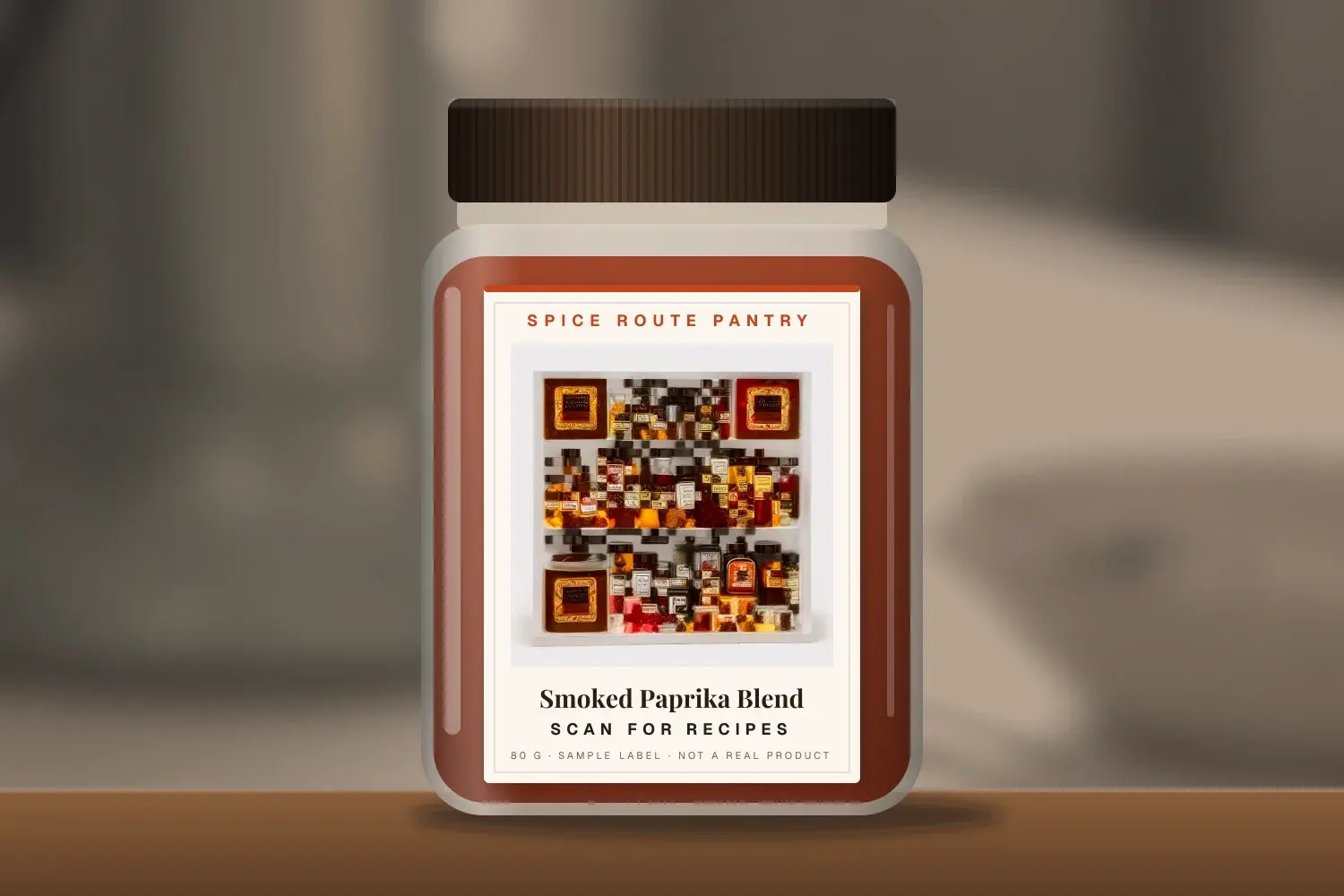
Food brands and specialty products
Visual direction: The product itself, such as spices, sauces, honey or coffee, arranged neatly in the artwork.
Where to place it: Jar labels, bottle labels, pouches and gift boxes.
After scanning: Recipes, serving ideas, ingredient information or the online shop.
Design consideration: Jars and bottles are curved, so keep the code on the flattest part of the label and test it on the filled product.
Illustrative restaurant mockups
These mockups place existing NG QRCode Artistic AI QR code artwork onto example restaurant materials. They show visual possibilities only. They are not real customer campaigns or verified physical prints.
Illustrative mockup featuring an NG QRCode Artistic AI QR code. Sample café cup, not a real café.
Illustrative mockup featuring an NG QRCode Artistic AI QR code. Sample takeaway bag, not a real restaurant.
Illustrative mockup featuring an NG QRCode Artistic AI QR code. Sample window poster, not a real bakery.
Illustrative mockup featuring an NG QRCode Artistic AI QR code. Sample label, not a real product.
How to Match an Artistic QR Code to Restaurant Branding
The QR artwork should support the brand, not distract from the reason to scan. Consider these together:
Match the restaurant's identity and colours. Take colours and tone from the menu, the signage and the interior, so the code feels like part of the same brand.
Use food-inspired themes. A signature dish, the cuisine's ingredients or the café's coffee are natural subjects that guests recognise straight away.
Choose imagery that complements the restaurant. A fine-dining room suits a refined, simple subject. A street-food stall can carry something bolder and more playful.
Plan for packaging and promotional materials. The same artwork can work across menus, bags and posters, but each surface needs its own size and placement check.
Keep contrast and visibility clear. Pale artwork on a pale card, or dark artwork on a dark board, makes the pattern harder for a phone to read.
Add a clear call to action. A short line beside the code, such as “Scan for the menu” or “Scan to reorder”, tells guests why to scan.
Avoid crowded designs. Extra text, borders and illustrations close to the code make it harder to find and harder to read.
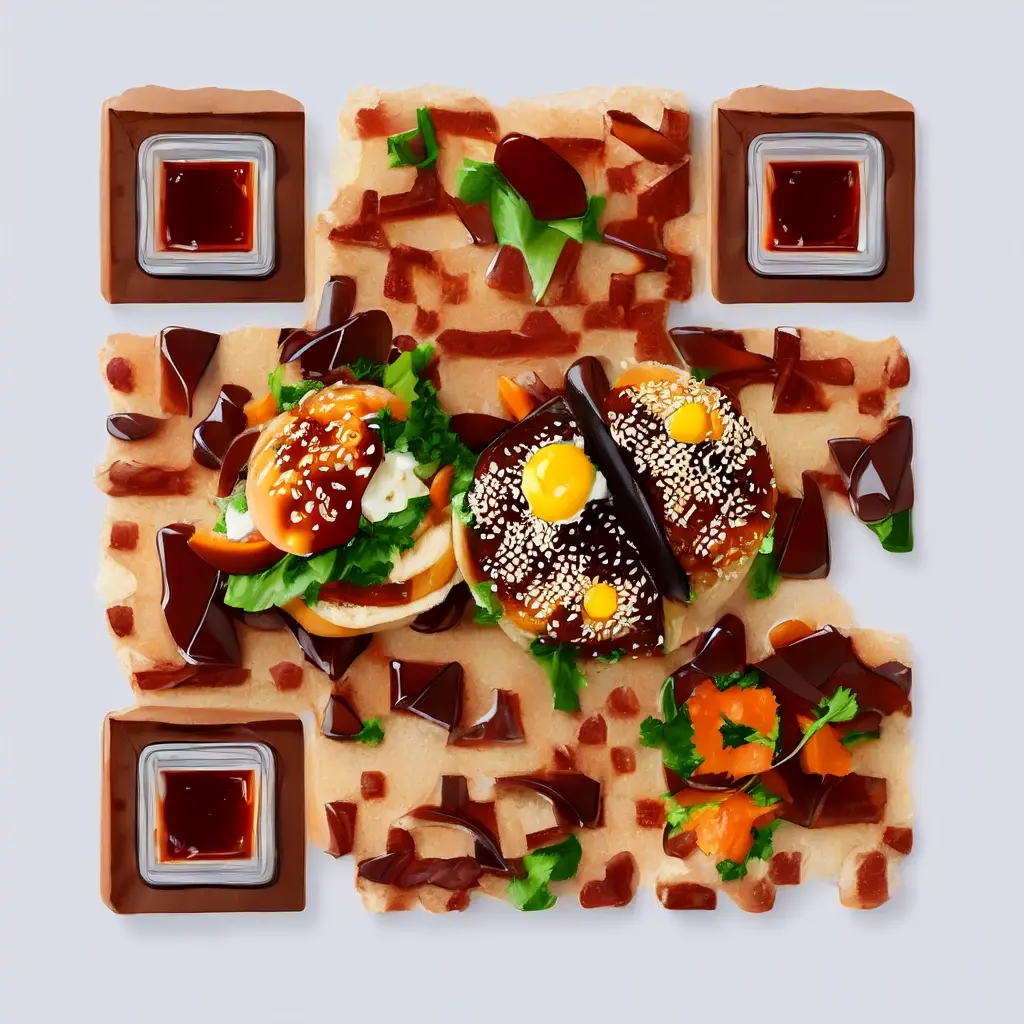
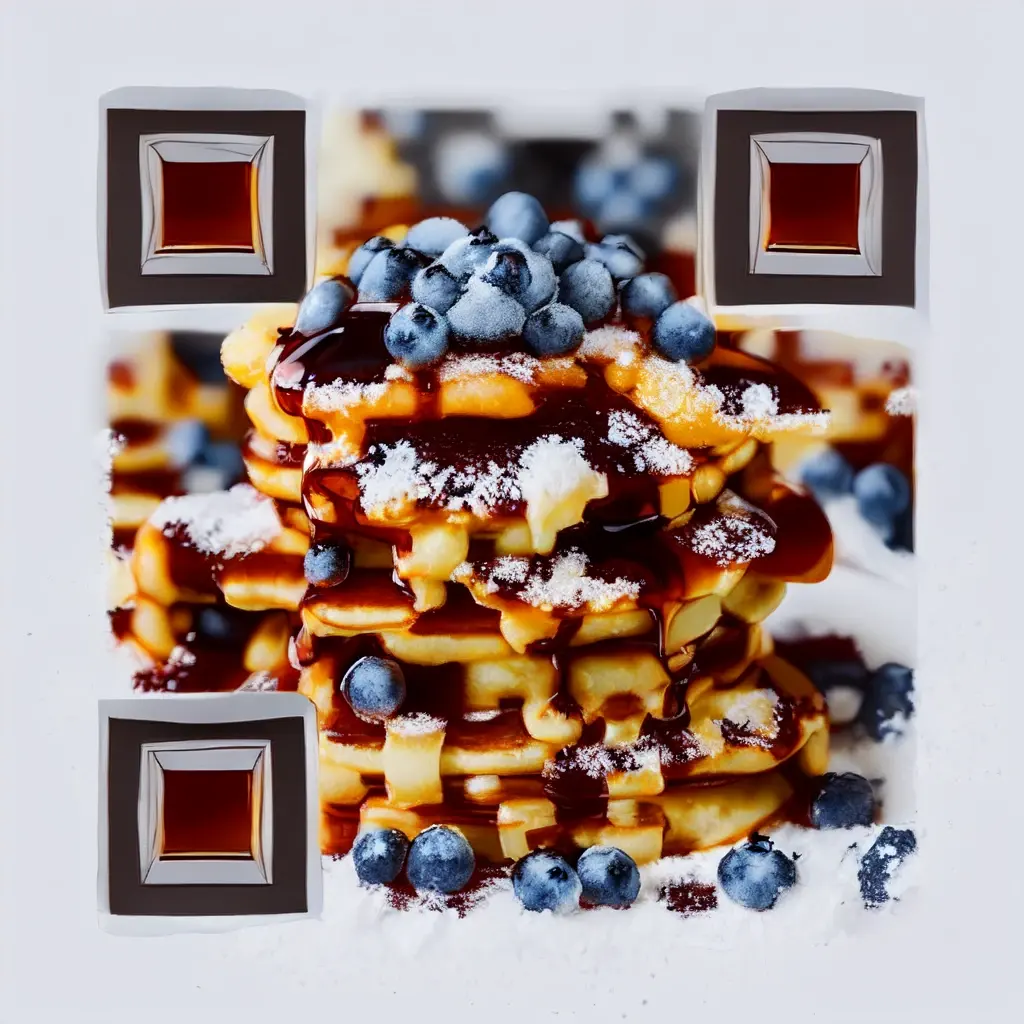
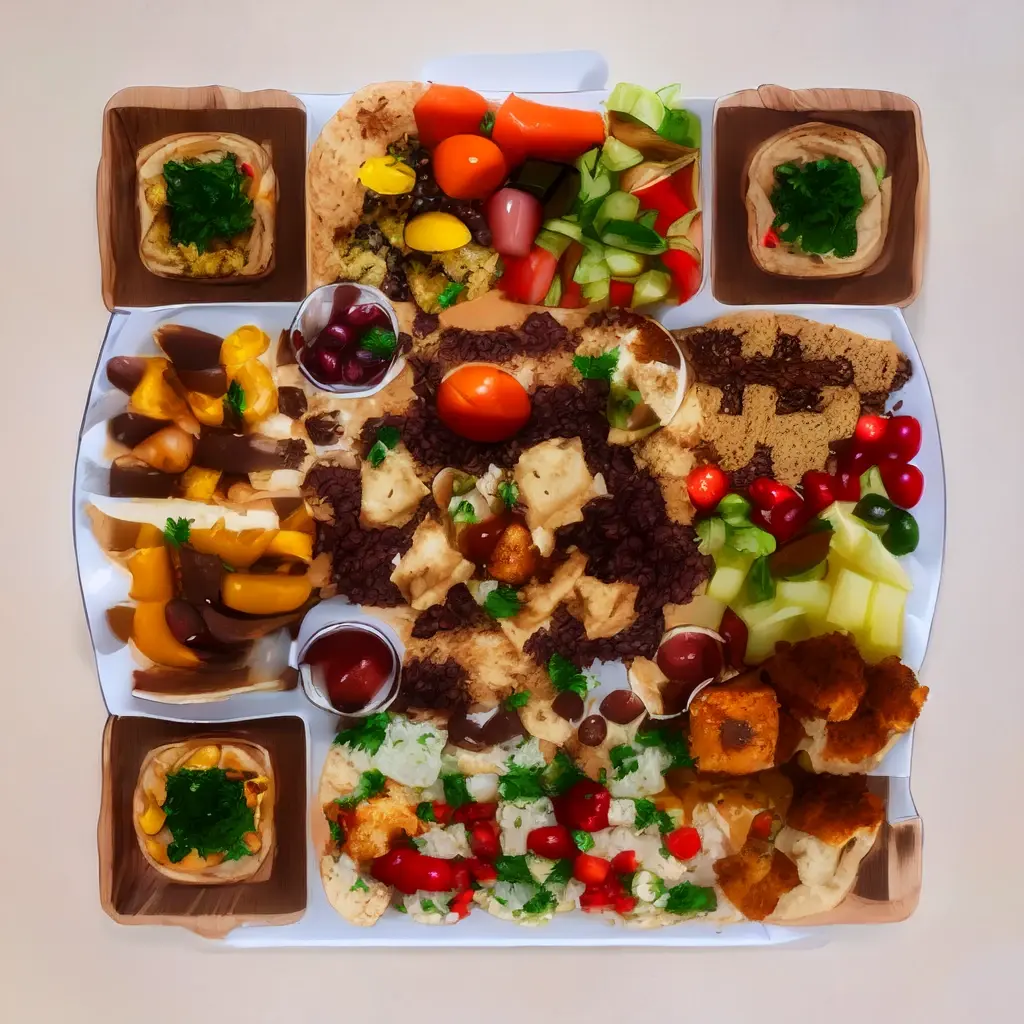
Template from the NG QRCode gallery.Template from the NG QRCode gallery.Template from the NG QRCode gallery.
What Should a Restaurant QR Code Link To?
Useful destinations include:
A digital menu page
The restaurant's website
An online reservation page
An ordering page for takeaway or delivery
A page for current promotions or a seasonal menu
A customer feedback or review page
Food, ingredient or product information
The destination should match the call to action shown next to the code. If a table card says “Scan for the menu”, the guest should land on the menu, not the homepage. These pages belong to the restaurant or its existing providers. NG QRCode creates the QR code that links to them; it does not provide menu management, ordering, payments, reservations or review collection.
There are two kinds of QR code to choose from:
A static QR code encodes the destination directly in the pattern. The encoded destination cannot be changed after printing.
A dynamic QR code points to a redirect, so the destination can be changed after printing without changing the printed code.
On NG QRCode, the Starter and Pro plans include dynamic QR codes with editable destinations and an analytics dashboard for scan activity. The Free plan includes unlimited static QR codes and one Artistic AI QR code. See NG QRCode pricing for current plan details.
Static vs Dynamic QR Codes for Restaurants
Not every restaurant needs a dynamic QR code. Some realistic examples:
A permanent website.A code on the shopfront that always opens the restaurant's homepage can be static.
A printed menu with a fixed destination. If the menu page address will not change, a static code is enough. Updating the menu content on the same page does not require a new code.
A seasonal promotion. A poster for a winter menu may need to point somewhere else once the season ends. A dynamic code lets you change the destination without reprinting.
A campaign you want to measure. If you want to see how often a flyer or a window poster is scanned, use a dynamic code with scan analytics.
NG QRCode scan-tests every generated Artistic AI QR code before it is delivered. That check happens at generation. Restaurants add real-world conditions that it cannot reproduce: the paper or packaging you print on, the lighting in the room and where guests stand. Plan for these:
Contrast and visibility. Guests should see the code at a glance. Keep strong contrast between the light and dark parts of the artwork.
Quiet zones. Leave clear space around the code. Menu borders, logos and nearby text often intrude without anyone noticing.
Printed dimensions. Suitable size depends on scanning distance, the amount of encoded data and how the piece is printed. A table card and a window poster need different sizes.
Scanning distance. Guests at a table are close, while people outside a window stand further back. Size the code for where people will actually be.
Lighting and glare. Candlelight, low dining-room lighting, spotlights and glossy laminated menus can all wash out parts of a code.
Packaging material and surface texture. Kraft paper, coated boxes, curved cups and glass jars each change how ink sits and how light reflects.
Print quality. Low-resolution files, blurred printing and ink spread soften the pattern. Print a proof on the real material.
Placement. Put the code where a phone can reach it easily: flat on a table card, on a flat panel of a bag, and at hand height in a window.
How to Create an Artistic AI QR Code for Your Restaurant With NG QRCode
Decide what customers should access. Choose one outcome for each code, such as the menu, the reorder page or the feedback form.
Prepare the destination URL. Make sure the page exists, loads quickly on a phone and delivers what the call to action promises.
Choose an artistic direction. Pick a subject and palette that suit the restaurant, such as a signature dish in the menu's colours. You can start from the templates.
Generate an Artistic AI QR code. Open the create page, keep the content type on URL, paste your destination into Target URL, and describe the visual concept in the Artistic Prompt field (10 to 500 characters). Choose a Scan Reliability level, where High is the default and recommended for artistic codes, then select Generate artwork. You may be asked to log in or create a free account.
Export the generated design. Download the artwork from the result card as a PNG, JPG or WEBP image.
Incorporate it into your materials. Place the artwork into the menu, packaging or poster layout with a clear call to action beside it and clear space around it.
Check the final design at its intended size. Print a proof at the real size on the real material, or view it on the actual screen, and scan it with a few phones from where customers will be. Check the destination opens correctly too.
Ready to try a concept? Create an Artistic AI QR code with NG QRCode. The Free plan includes one Artistic AI QR generation, and Starter and Pro include more Artistic AI QR generations. Standard static QR codes are a separate feature and are unlimited on the Free plan.
Frequently Asked Questions
›How can restaurants use Artistic AI QR codes?
Restaurants can place Artistic AI QR codes on table cards, menus, takeaway packaging, cups, posters and window displays, with artwork that matches the restaurant's brand. Each code links to a page the restaurant already has, such as its menu, reservation page or feedback form.
›Can restaurants use QR codes for digital menus?
Yes. A QR code can link to any digital menu page the restaurant publishes. NG QRCode creates the QR code; the menu itself is hosted by the restaurant or its menu provider.
›Can I create a QR code that matches my restaurant branding?
Yes. With NG QRCode you describe a subject and palette in the Artistic Prompt field, such as a signature dish in your brand colours, and generate an Artistic AI QR code. Keep the artwork simple enough that the code stays easy to read.
›Where should a restaurant place its QR code?
Place it where guests naturally look and can hold a phone comfortably: table cards, menus, the counter, takeaway packaging and the shop window. Keep it on a flat surface, away from glare, with a short call to action beside it.
›Can QR codes be printed on takeaway packaging?
Yes. Bags, boxes, lids and stickers all work. Put the code on a flat panel or label rather than across a fold or seam, and test a printed proof on the real packaging material.
›Should restaurants use static or dynamic QR codes?
Use a static QR code when the destination will not change, such as a permanent website. Use a dynamic QR code when you may need to change the destination after printing, such as a seasonal promotion, or when you want to see scan activity. On NG QRCode, dynamic QR codes are available on the Starter and Pro plans.
›Can restaurants track QR code scans?
Yes, with a dynamic QR code. On NG QRCode, the Starter and Pro plans include an analytics dashboard for scan activity. Static QR codes encode the destination directly, so they do not provide scan analytics.
›How big should a QR code be on a restaurant menu?
There is no single correct size. It depends on how far away guests are, how much data the code holds and how the menu is printed. Print a proof at the intended size and scan it from a seated position. Our guide to QR code size for printing explains how these factors interact.
Conclusion
A good restaurant QR code combines four things: a relevant destination, a clear reason to scan, a visual design that complements the restaurant's brand, and placement that keeps it easy to read. The artwork helps the code belong on the table, the cup or the bag. The call to action, the page behind it and a tested proof are what make it useful.
When your concept is ready, you can create an Artistic AI QR code for your restaurant or café with NG QRCode and test it before it goes to print.
Create Your Artistic AI QR Code
Turn a signature dish or your café's style into a QR code that fits your menu and packaging. Start free with one Artistic AI QR code, then test a proof before you print.