Artistic QR Codes for Product Packaging: Design Ideas and Scannability Tips
Eight packaging ideas for Artistic AI QR codes, plus how to fit one into your design, keep it scannable on real materials, and choose a destination worth scanning.
NG QRCode••11 min read
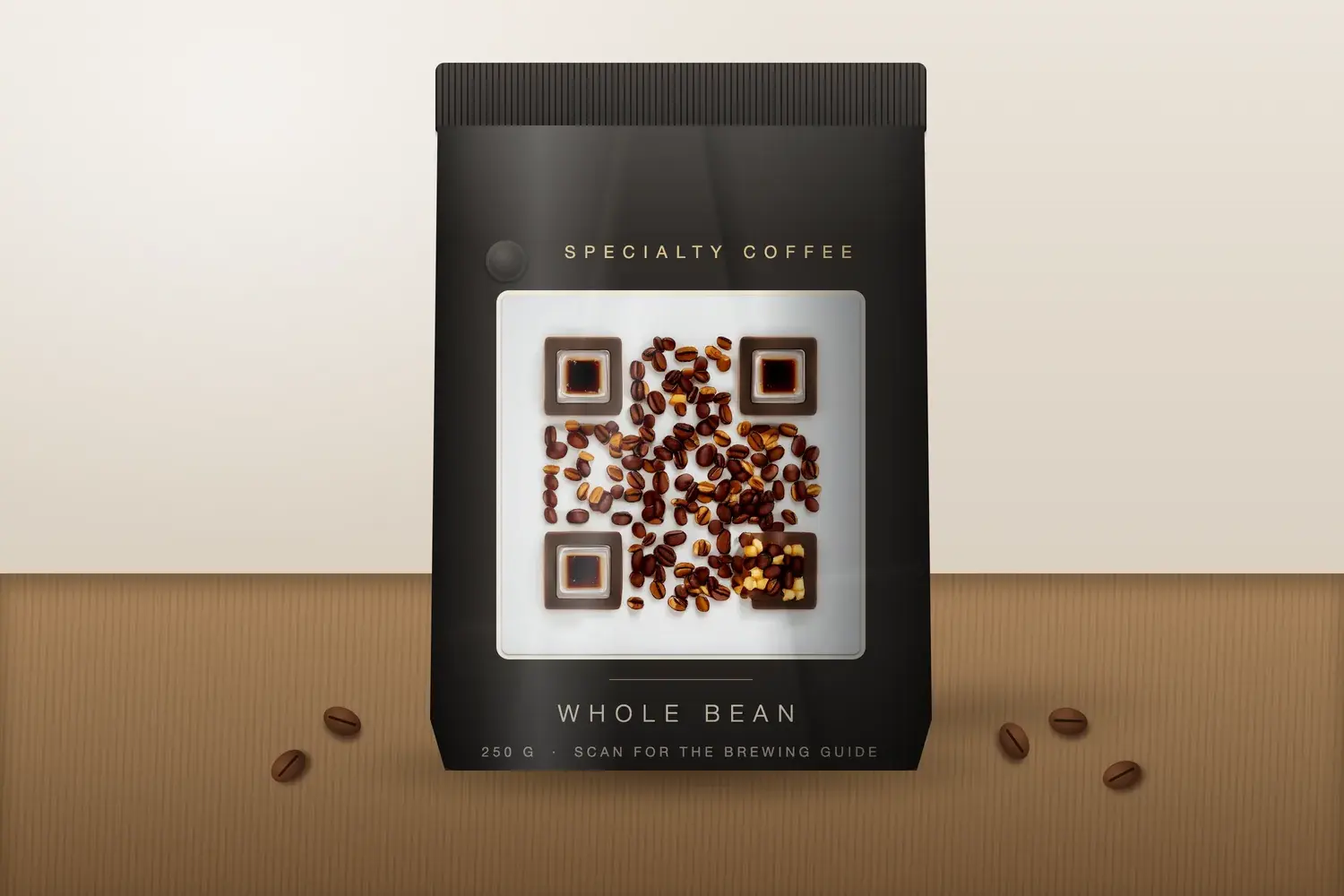
Illustrative packaging mockup showing how an NGQRCode Artistic AI QR code could appear on coffee packaging.
Packaging has very little spare space. Every square centimetre competes with the logo, product name, legal text, and barcodes, and a QR code has to fit among them while still doing a job: giving the customer a way to reach digital content. A plain black-and-white square can feel like an afterthought on a pack that was otherwise carefully designed.
Short answer: yes, an artistic QR code can complement product packaging, but it has to work as both a design element and a functional entry point. The final design must be tested at its intended printed size and on the actual packaging material before it goes to production.
This guide covers eight packaging ideas for Artistic AI QR codes, how to fit one into your design, how to keep it scannable on real materials, and what to link it to.
What Is an Artistic QR Code for Product Packaging?
An Artistic AI QR code is a QR code blended with an AI-generated image, so the code and the artwork form a single design. Instead of a black-and-white square placed next to the packaging artwork, a subject such as a gift box, a coffee bean pattern, or a row of cosmetics carries the link. For the wider picture, see our guide to AI QR code art and prompt ideas.
An ordinary static QR code is a functional pattern with a single job. An artistic code is a design decision as well, so it needs more planning. The destination, the packaging design, and the scan experience should be planned together: what the pack promises, where the code sits, and what the customer lands on after scanning.
An artistic appearance does not guarantee a code scans. Generated artwork can affect the parts of the pattern that phones rely on, so each design has to be checked.
8 Product Packaging Ideas for Artistic AI QR Codes
These are practical starting points rather than recipes. The destinations are examples of what a brand could provide; they are not delivered automatically by NG QRCode, which creates the code, while you supply the page it opens.
Idea 1
Food, coffee and specialty products
Visual direction: Artwork built from the product itself, such as roasted beans, loose-leaf tea, or spices in a square tray, in a warm and restrained palette.
After scanning: Brewing or serving guidance, ingredient and allergen details, or a recipe page.
Placement note: Food packaging is often flexible or heat-sealed. Test on the real pouch or bag, including where it creases or curves.
Idea 2
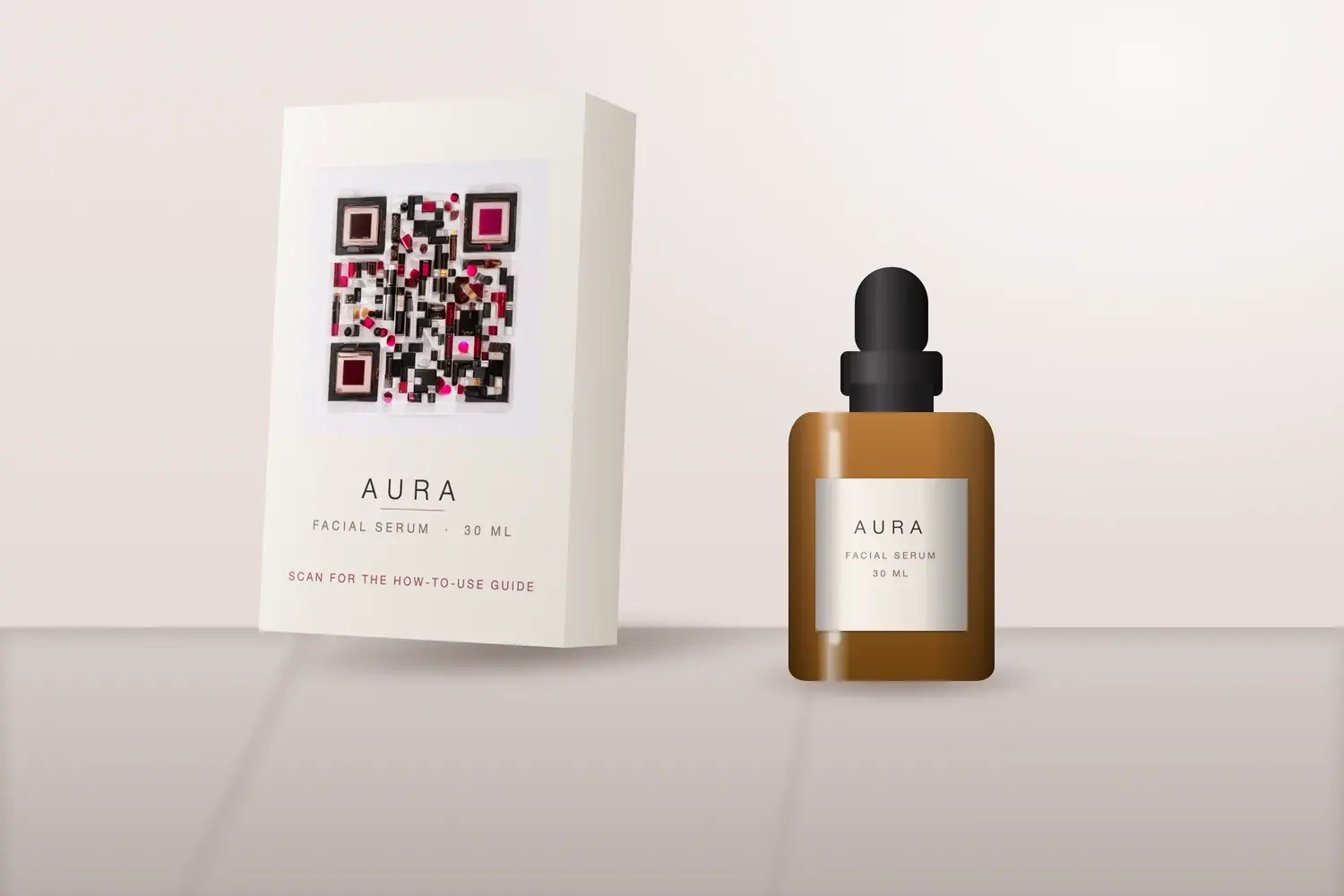
Beauty and skincare packaging
Visual direction: A clean, minimal image in the brand's palette, such as lipsticks and compacts on marble, kept calm so the code does not fight the product name.
After scanning: A how-to-use video, ingredient information, or a routine guide.
Placement note: Glossy cartons and small tubes reflect light. Check the proof under bright shop lighting and at the real, often small, print size.
Idea 3
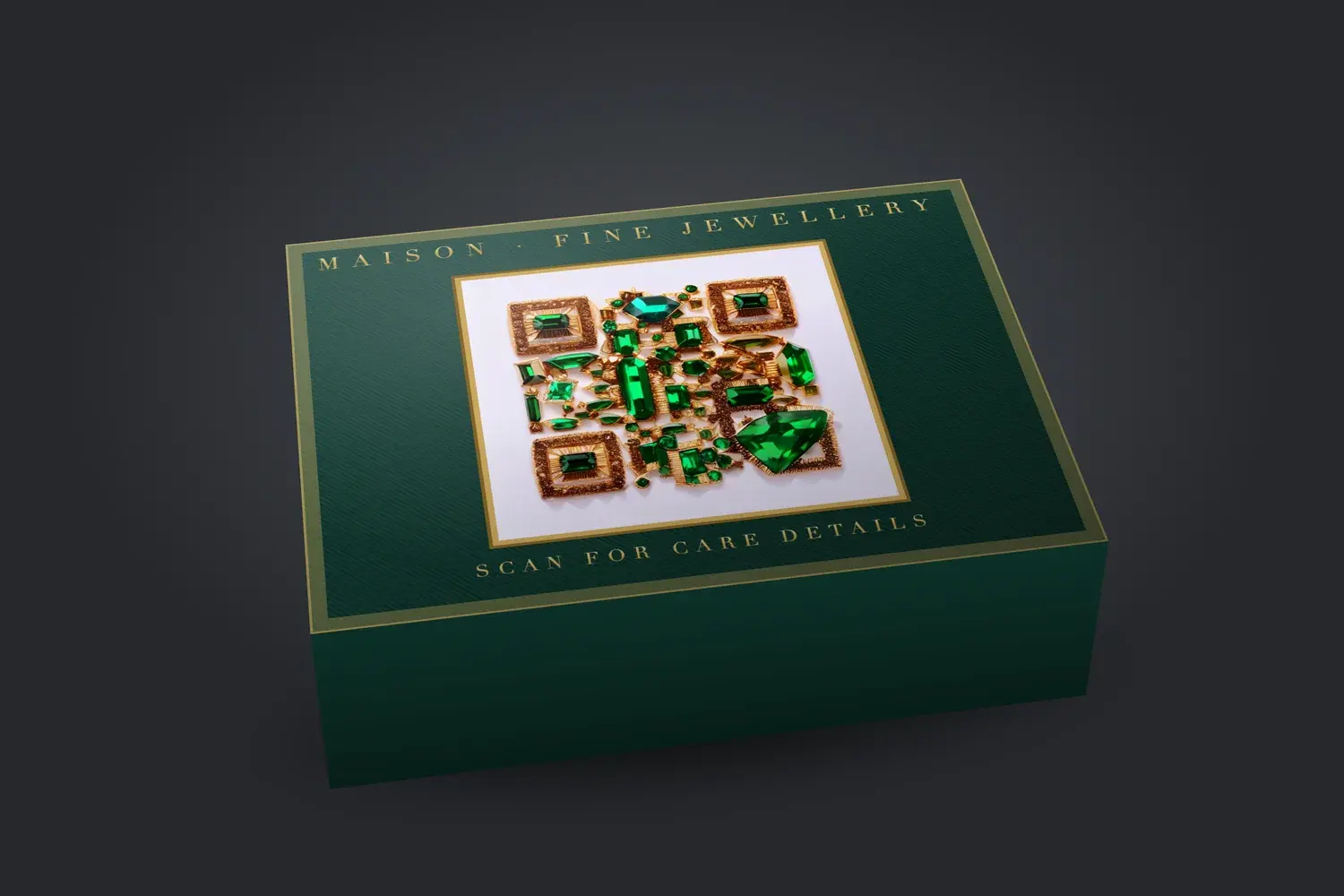
Jewellery and premium gift boxes
Visual direction: Deep, saturated colours against a pale background, such as gemstones on white marble, to echo a boutique look.
After scanning: Care instructions, a warranty or authenticity page, or a gift message.
Placement note: The inside of a lid or a care card often suits a larger code than a small outer sleeve. Soft-touch and foil finishes can change how the code reads.
Idea 4
Beverage bottles and labels
Visual direction: A single bold subject, such as fruit slices or a pour, with strong light and dark areas that survive a small label.
After scanning: Tasting notes, serving suggestions, or sourcing information.
Placement note: Bottles curve and can be wet or covered in condensation. Keep the code on the flattest part of the label and away from seams.
Idea 5
Handmade and small-batch products
Visual direction: Craft-inspired artwork, for example hand-glazed tiles or textured paper, that matches an artisan identity.
After scanning: The maker's story, care guidance, or a reorder page.
Placement note: Small runs often use stickers, stamps, or a desktop printer. Test with that exact method, since print resolution varies widely.
Idea 6
Retail product boxes
Visual direction: Artwork that continues the box's existing imagery with limited extra colours, so the code reads as part of the design.
After scanning: Setup instructions, a product registration page, or a support contact.
Placement note: Retail boxes carry barcodes, legal text, and icons. Give the code its own space instead of squeezing it between other elements.
Idea 7
Seasonal and limited-edition packaging
Visual direction: A theme-led image, such as a holiday ornament scene or a seasonal flavour, built around one clear subject.
After scanning: A campaign page, a recipe, or an entry to a time-limited offer.
Placement note: Short runs make errors expensive. Plan the destination so it still makes sense after the season ends.
Idea 8
Product inserts and unboxing experiences
Visual direction: A more expressive piece of artwork on a card or insert, where there is room for a larger, more detailed design.
After scanning: A thank-you page, a how-to guide, or a customer support or loyalty page.
Placement note: Paper stock is easier to control than a curved package, and matte stock tends to reduce glare. Still print and test the real insert.
Explore Artistic AI QR code designs from the NG QRCode gallery.Explore Artistic AI QR code designs from the NG QRCode gallery.Explore Artistic AI QR code designs from the NG QRCode gallery.
Illustrative packaging mockups
To help you picture the result, these mockups place existing NG QRCode Artistic AI QR code artwork onto example packaging. They show visual possibilities only. They are not real customer products or verified physical prints, and the codes shown have not been scan-tested on physical packaging.
Illustrative packaging mockup featuring an NG QRCode Artistic AI QR code. Shown: coffee bag.
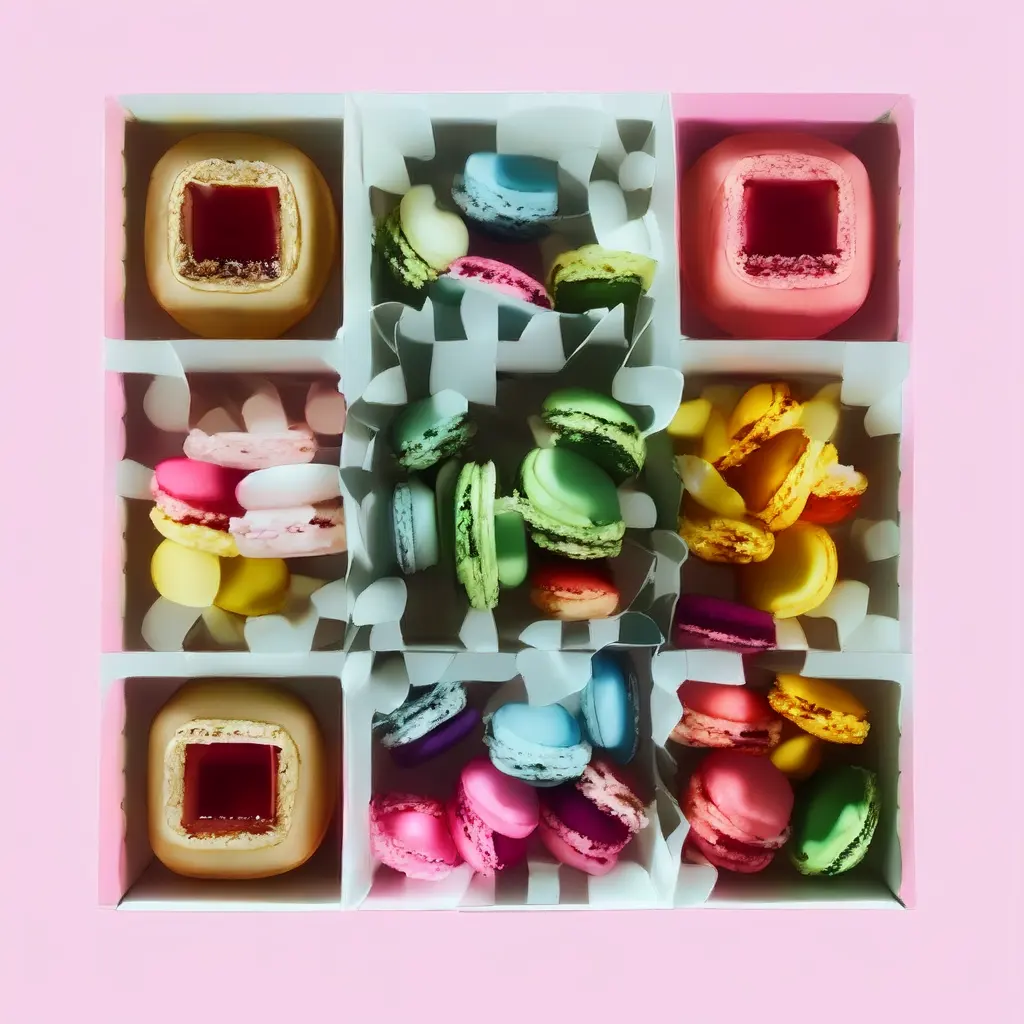
Illustrative packaging mockup featuring an NG QRCode Artistic AI QR code. Shown: skincare box and bottle.
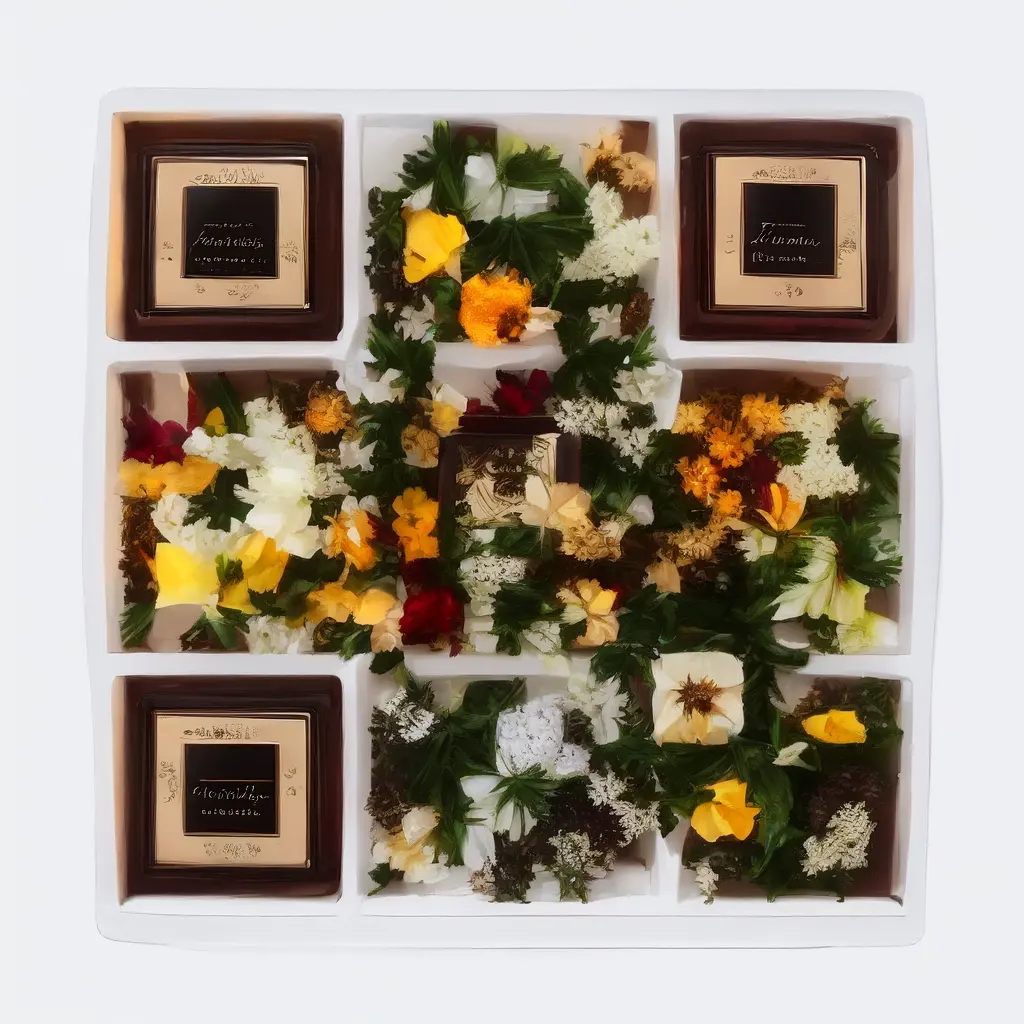
Illustrative packaging mockup featuring an NG QRCode Artistic AI QR code. Shown: jewellery gift box.
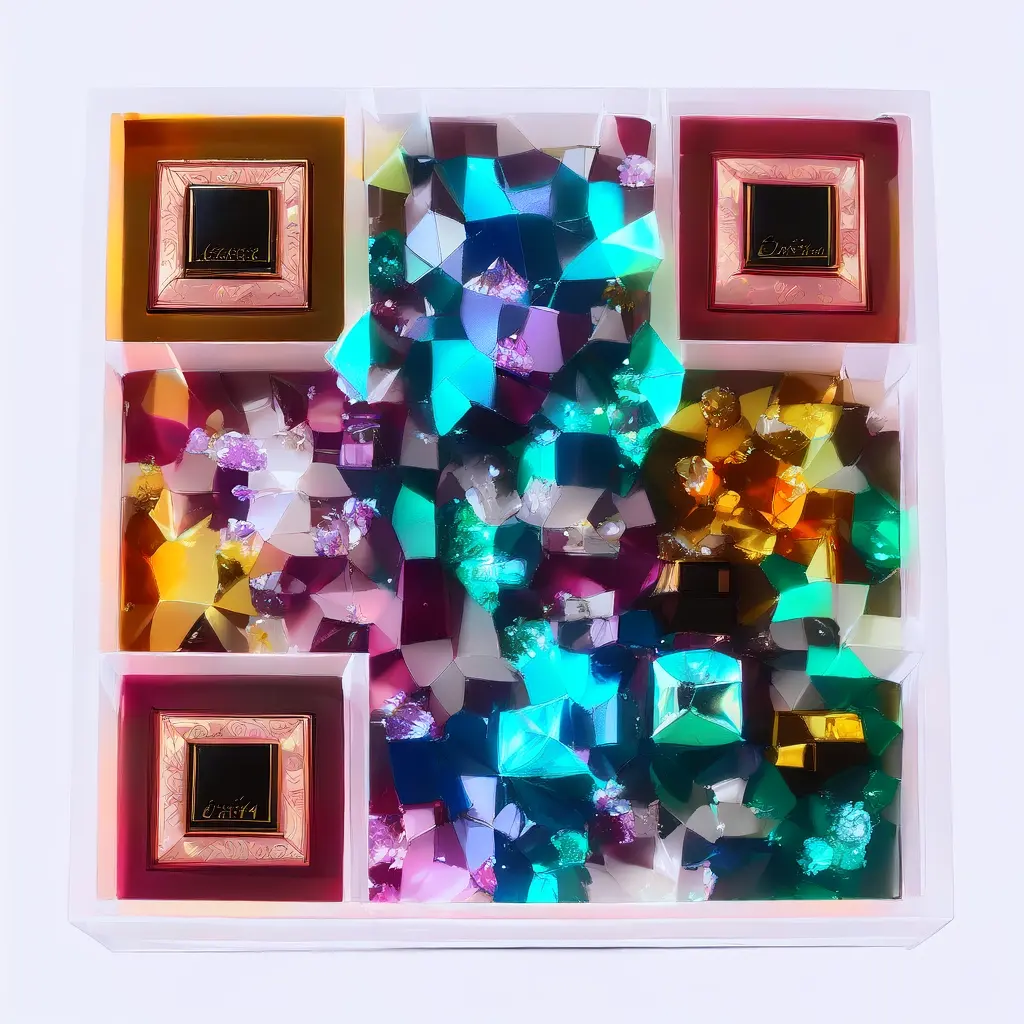
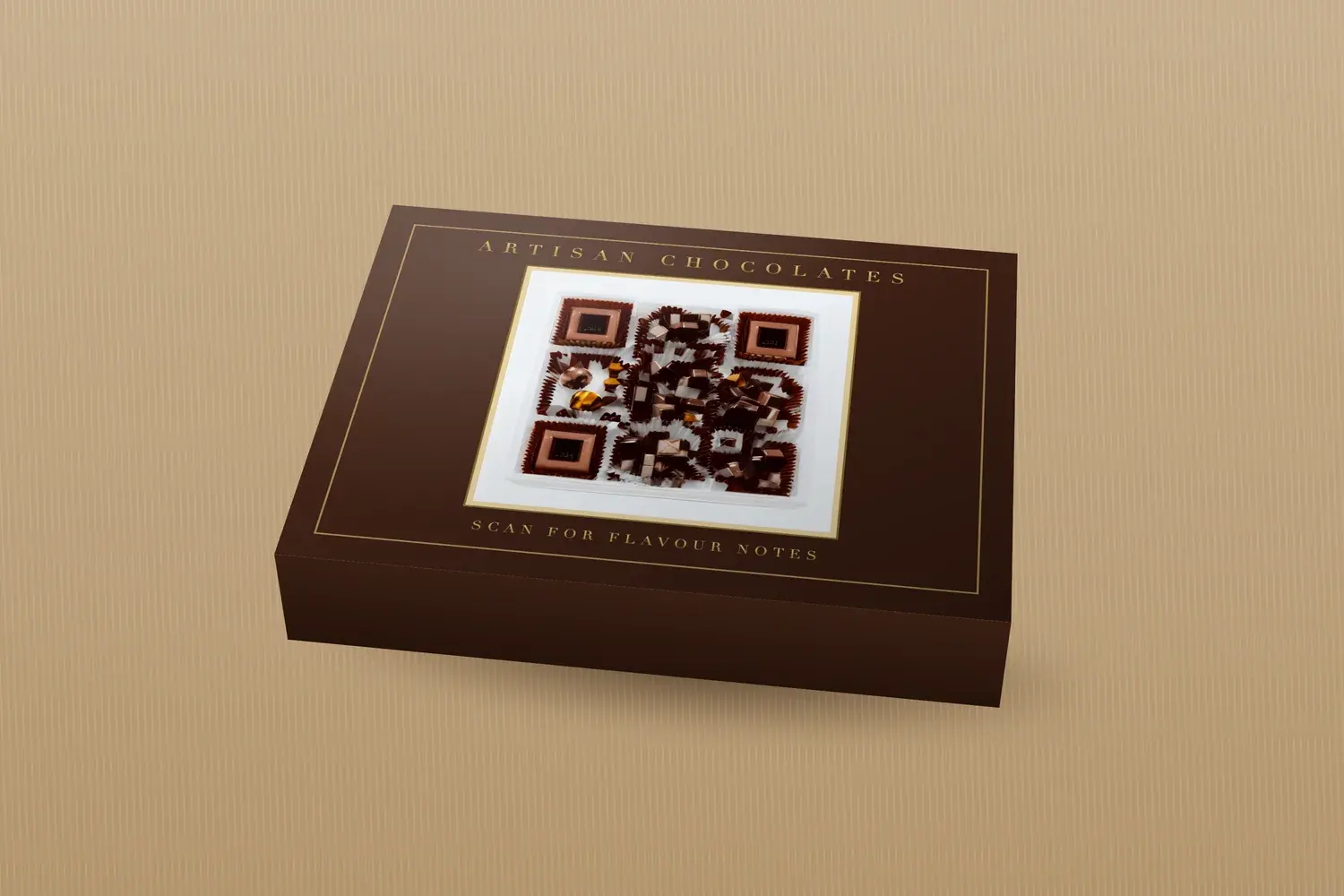
Illustrative packaging mockup featuring an NG QRCode Artistic AI QR code. Shown: artisan chocolate box.
How to Make an Artistic QR Code Fit Your Packaging Design
The goal is a code that looks like it belongs to the pack and still works as a code. Work through these points together rather than one at a time:
Match the brand's visual identity. Take colours, textures, and mood from the packaging, so the code feels like part of the same system.
Choose a clear subject and one coherent style. A single recognisable subject reads better than a scene full of competing details.
Keep contrast between important QR elements. The three corner squares, called finder patterns, help phones locate the code, so keep them distinct.
Avoid clutter. Nearby icons, borders, or textures make the code harder to find and read.
Preserve the quiet zone. Standard QR codes need clear space on every side. Our guide to the QR code quiet zone explains how much.
Keep it visible and easy to locate.Pair it with a short call to action, such as “Scan for brewing tips”, so people know why to scan.
Check the surface. Curved, glossy, textured, and flexible materials change how the code looks to a phone camera.
The artwork matches the brand's palette, style, and tone.
One clear subject, not several competing ones.
Important QR elements stay distinct from the background.
Nothing else on the pack crowds or overlaps the code.
The quiet zone is kept clear on all four sides.
The code is easy to find and has a short call to action beside it.
The surface has been checked: curved, glossy, textured, or flexible.
How to Keep Packaging QR Codes Scannable
The following factors apply to any QR code on packaging. They are standard design principles, not specific to artistic codes:
Size and scanning distance. Appropriate size depends on the code, how much data it encodes, the printing method, the material, and how far away people will hold their phone. A code on a shelf-facing label needs different treatment from one on an insert held in the hand. There is no single minimum that fits every pack.
Contrast and background. A phone needs to tell dark and light parts of the pattern apart. Busy or low-contrast backgrounds make that harder, and so do very pale or very similar colours.
Quiet zone. Standard QR codes need a clear margin on every side. Printed borders, fold lines, and neighbouring graphics can intrude without anyone noticing.
Error correction and logos. Higher error correction gives the code more tolerance for obscured areas, but it is a safety margin, not permission to cover the pattern. Logos or heavy artwork can still push a code past what it can recover.
Glare, curvature, folds, and print quality. Gloss, curves, and creases distort or hide parts of the code. Rough substrates and low-resolution printing blur edges, and any of these can cause a code to fail on the real pack when it worked on screen.
Artistic codes add risks on top of those basics. The image itself can blur the boundary between light and dark modules, soften the finder patterns, or reduce contrast in places a plain code would never have problems. Detailed texture can also look good on screen and fail once it is printed small, and a subtle pastel palette that looks refined may be hard for a camera to separate.
Test a proof at final size
Print a proof on the real packaging material, at the final size, with the same finish. Scan it with multiple phones and camera apps, under realistic lighting and from realistic distances, and check that it opens the right page. Repeat after changing the artwork, size, material, or destination. If a code still fails, work through why a QR code is not scanning.
What Should a Packaging QR Code Link To?
The scan only pays off if the destination delivers what the pack promised. Practical destinations include:
Product instructions or demonstrations
Ingredients or additional product information
Care instructions and FAQs
Product registration or warranty information
Recipes and usage ideas
Reordering or customer support
Campaign or loyalty experiences
Match the destination to the call to action on the pack. If the label says “Scan for care instructions”, the customer should land on care instructions, not a generic homepage. Make sure the page loads quickly and reads well on a phone.
Static versus dynamic QR codes
A static QR code encodes its destination directly in the pattern. Once it is printed, that destination cannot be changed, and you would need to reprint the packaging to point somewhere else. A dynamic QR code points to a redirect, so the destination behind it can be updated later without changing the printed code.
On NG QRCode, the Starter and Pro plans include dynamic QR codes with editable destinations and an analytics dashboard for scan activity, while the Free plan includes unlimited static QR codes. See NG QRCode pricing for current plan details.
How to Create an Artistic AI QR Code for Packaging With NG QRCode
Prepare the destination. Have the URL ready and decide what customers should get after scanning.
Choose a visual concept. Write an Artistic Prompt between 10 and 200 characters, start from the QR code templates, or use one of the ideas above as a direction.
Generate the Artistic AI QR code. Open the create page, keep the content type on URL, choose a scan reliability level (High is recommended for artistic codes), and select Generate artwork. You may be asked to log in or create a free account.
Evaluate it at packaging size. Review the design at the size it will actually be printed, not only on screen.
Test before production. Download the result as PNG, JPG, or WebP, print a proof on the real material, and scan it on several phones before sending the packaging to print.
Ready to try a concept? Create an Artistic AI QR code with NG QRCode. The free plan includes one Artistic AI QR generation, and paid plans include more Artistic AI QR generations.
Packaging QR Code Design Checklist
Clear customer benefit: the pack says what scanning gives them.
Relevant destination: the page delivers what the call to action promised.
Brand-consistent artwork.
Sufficient contrast between important QR elements and the background.
Appropriate size and a clear quiet zone.
Suitable material and placement, away from seams, folds, and heavy curves.
Final-size print proof on the real material.
Successful scan testing on several phones and camera apps.
Correct destination and a working link, checked after printing.
Frequently Asked Questions
›Can you use an artistic QR code on product packaging?
Yes. An Artistic AI QR code can suit packaging that already has a strong visual identity. It should be treated as a design element and a functional code at the same time, so test the final design at its printed size and on the actual packaging material before production.
›How do you make a QR code match your packaging design?
Start from the brand's palette, imagery, and tone. Choose one clear subject and a coherent style, keep strong contrast between important QR elements, avoid clutter nearby, and preserve the quiet zone. Then check the result on the real surface, because finishes and curves change how it looks and scans.
›Do Artistic AI QR codes always scan?
No. Artwork can interfere with the parts of the pattern phones rely on, so no artistic design is guaranteed to scan. Check each generated design on several phones and camera apps, and re-test after any change to the artwork, size, material, or destination.
›How big should a QR code be on product packaging?
It depends on the encoded content, printing method, material, and expected scanning distance, so there is no universal figure. Print a proof at the intended size on the real packaging and scan it from realistic distances. Our guide to QR code size for printing explains how module size and density affect the result.
›Can a QR code be printed on a curved or glossy package?
It can, but curvature, glare, and texture all add risk. Place the code on the flattest, least reflective area, away from folds and seams, and test the physical sample under realistic lighting. Matte finishes or a larger code may help, and only a real test will confirm it.
›What should a product packaging QR code link to?
Link to the specific content the packaging promises, such as instructions, ingredients, care guidance, a warranty form, or a recipe. A relevant destination is usually more useful than a generic homepage, and it should work well on a phone.
›Should I use a static or dynamic QR code on packaging?
A static QR code encodes its destination directly, so that destination cannot be changed after the code is printed. A dynamic QR code points to a redirect, which lets the destination be updated later. On NG QRCode, editable destinations and scan analytics for dynamic QR codes are included on the paid plans. Choose static only when the link will not change.
Conclusion
Packaging QR codes work best when the design, the physical print, the customer benefit, and the destination are considered together. An artistic code can help the pack look cohesive, but only a proof tested on the real material will show whether it works.
When you are ready, you can create an Artistic AI QR code for your packaging with NG QRCode and test it before you print.
Create Your Artistic AI QR Code
Turn a packaging idea into a QR code that fits your brand. Start free with one Artistic AI QR code, then test a proof before you print.