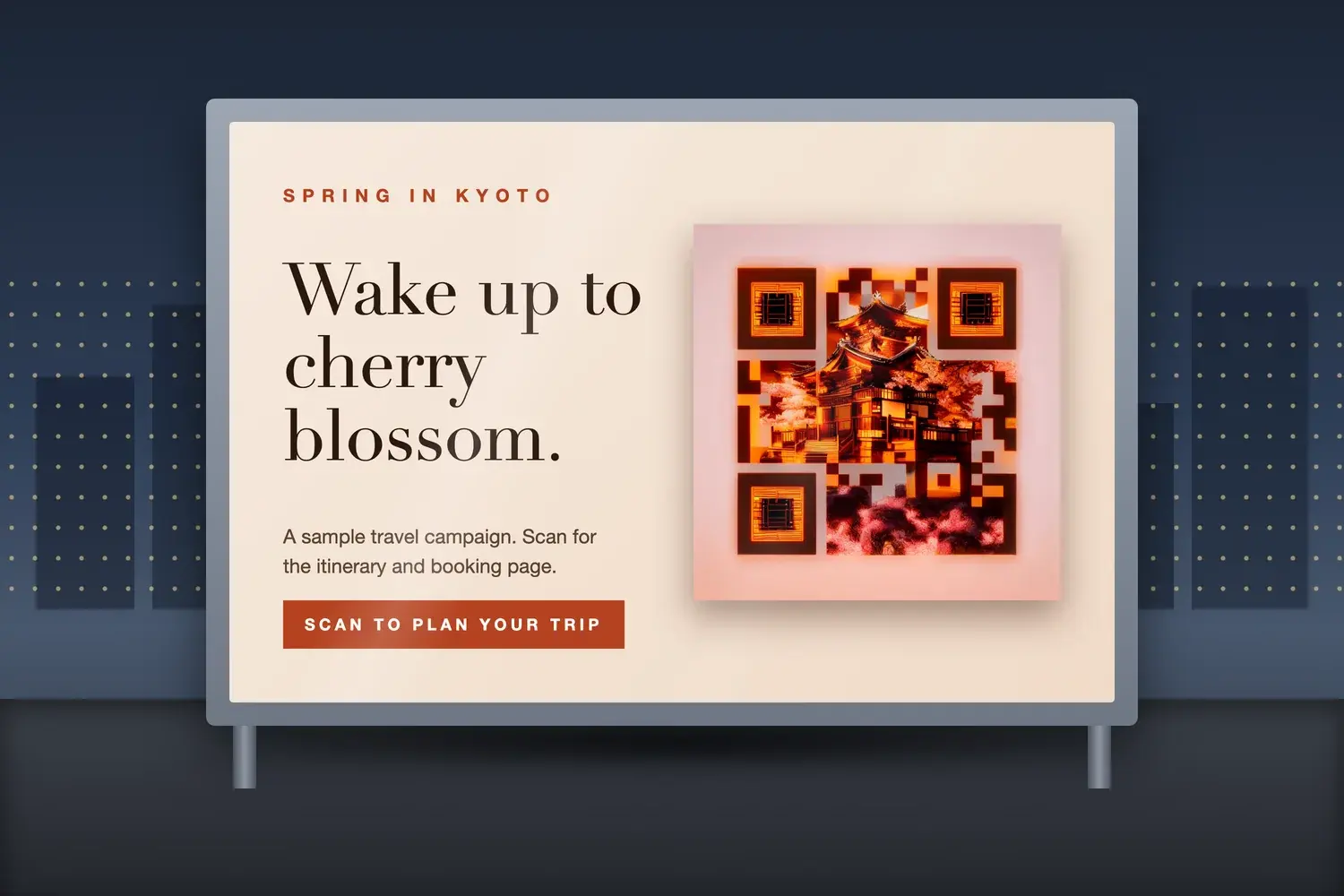
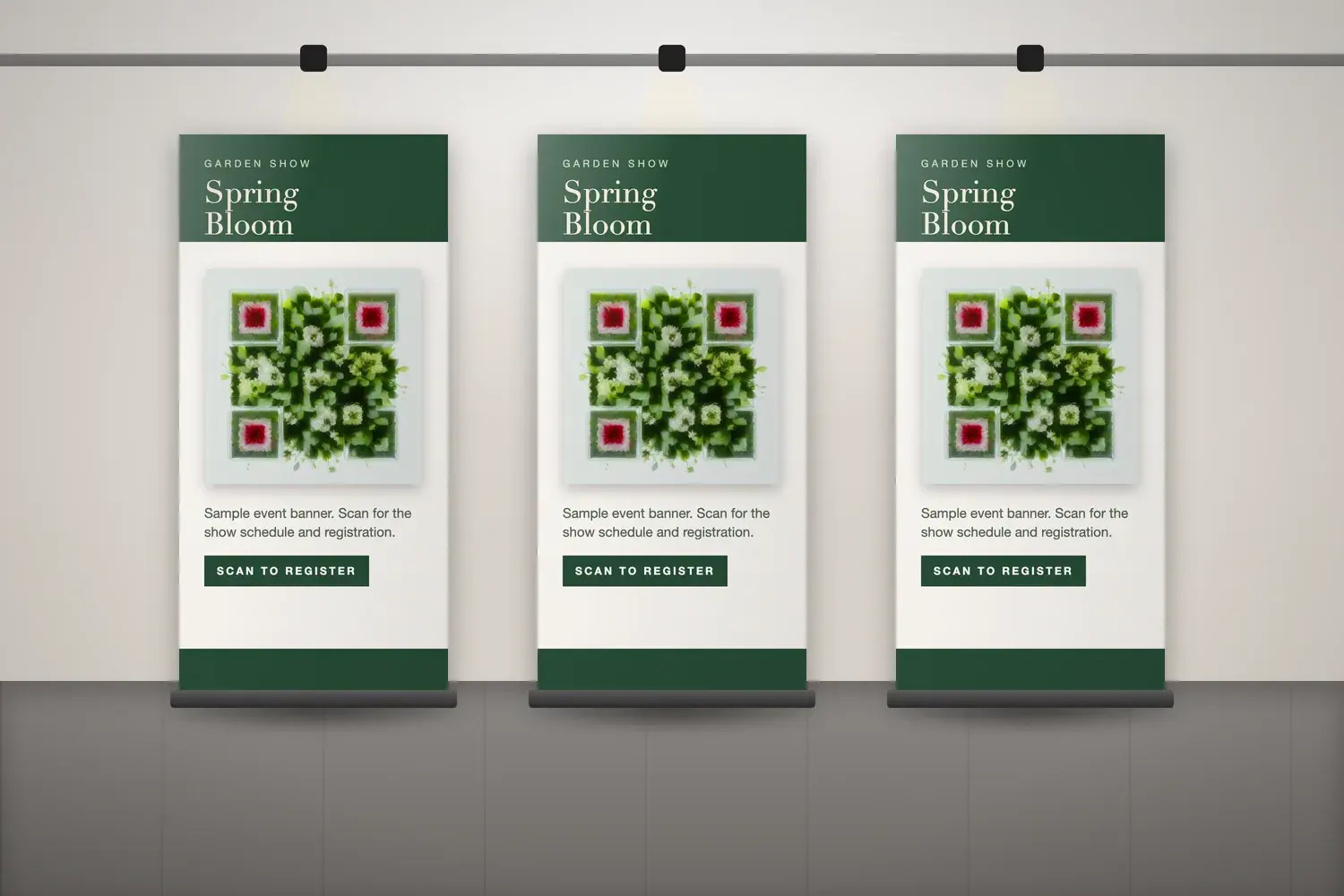
Most campaign creative is carefully art-directed, and then a plain black-and-white QR code is added at the end. It works, but it can look like it belongs to a different piece. Artistic AI QR codes let brands carry the campaign's visual idea into the code itself, so the thing people scan looks like part of the campaign.
Short answer: brands and agencies can use Artistic AI QR codes in campaigns without losing usability by treating four things as one decision: the campaign design, the reason to scan, the destination, and whether the code actually scans in its real placement.
This guide focuses on campaigns: eight creative applications, how to match a code to a brand, what people should see after scanning, how agencies can work with Artistic AI QR codes, and how to plan and measure. For packaging specifically, see our guide to artistic QR codes for product packaging. No external statistics are used here, and the examples are hypothetical unless stated.
What Is an Artistic QR Code Marketing Campaign?
An Artistic AI QR code is a QR code blended with an AI-generated image, so the code and the artwork form a single design. An Artistic QR code marketing campaign is one where that code is chosen to match the campaign's creative: the poster, the display, the event signage or the promotion. NG QRCode describes these as Artistic AI QR codes, and the generation allowance as Artistic AI QR generations. For ideas on subjects and styles, see our guide to AI QR code art and prompt ideas.
A standard static QR code is a functional pattern that stores its destination directly. It does not need AI artwork, and many campaigns work perfectly well with one. Visual integration is a creative choice that can make sense when the code is part of branded material. It does not automatically increase scans, conversions or revenue, and the artwork can affect how reliably phones read the code, so every design has to be tested.
8 Artistic QR Code Ideas for Marketing Campaigns
Each idea below is a hypothetical example. None describes a real client, campaign or result, and the destinations are things a brand could provide, not features that NG QRCode supplies.
How to Match Artistic QR Codes to a Brand Campaign
The aim is a code that supports the campaign message and still works as a code. Treat these as a set rather than a list to tick off one at a time:
- Match the brand's visual identity. Take palette, tone and subject matter from the existing creative, so the code looks like it belongs.
- Pick a concept that reinforces the message. A garden show uses flowers and foliage; a travel offer uses a destination. The image should say something about the campaign.
- Choose image style, composition and palette deliberately. One clear subject, a restrained palette and even lighting are easier for a phone to read than a busy scene.
- Make the code noticeable without overpowering the main creative. The headline and key visual should still lead.
- Keep a clear call to action nearby.A short line such as “Scan to plan your trip” tells people why to scan.
- Adapt artwork to each placement and aspect ratio. A tall banner, a wide poster and a small sticker need their own layouts and sizes.
For the broader trade-offs between style and reliability, see our guide to QR code design that looks good and still scans.
Campaign design checklist
- The artwork reflects the brand's palette, tone and subject matter.
- The visual concept supports the campaign message.
- The code is noticeable, but the main headline and product still lead.
- A short call to action sits beside the code and says what scanning gives.
- Each placement has its own crop and size, not one shrunk file.
- The quiet zone is clear on all four sides in every layout.
- The destination matches the promise in the call to action.
- The final exported file has been tested before artwork is released.
What Should People See After Scanning?
Start from the campaign's intent, then choose the destination that serves it. These are examples of what a brand could provide. They are not features included with NG QRCode:
- Awareness: A brand film or a campaign landing page that explains the idea quickly.
- Consideration: Product information, a demonstration or a useful guide.
- Conversion: A relevant offer, a booking page or a direct purchase flow.
- Events: Registration, schedules or event information.
- Retention: Support resources, loyalty information or reordering.
Whatever the goal, match the page to the call to action. If the poster says “Scan to register”, people should land on a registration page, not a generic homepage.
Static versus dynamic QR codes
A static QR code encodes its destination directly in the pattern, so that destination cannot be edited after printing. A dynamic QR code points to a redirect, which lets the destination be updated later without changing the printed code.
On NG QRCode, the Starter and Pro plans include dynamic QR codes with editable destinations and an analytics dashboard for scan activity. The Free plan includes unlimited static QR codes. See NG QRCode pricing for current plan details.
How Marketing Agencies Can Use Artistic AI QR Codes
Agencies often need many codes, each in a different client's style, and each approved by someone else. These practices help keep that manageable:
- Give each client brand a distinct concept. Use each client's palette, subject matter and tone as the starting point, so codes across a portfolio do not look interchangeable.
- Keep the QR creative consistent with campaign assets. The code should share colour, lighting and style with the key visual, so it reads as part of one system.
- Prepare artwork for each placement. A poster, a sticker and a social crop need different sizes and spacing. Plan each one rather than scaling a single file.
- Review the destination and call to action with the client. Agree what the scan promises and what the page delivers before artwork is approved.
- Keep campaign files organised. Store approved artwork, the destination URL and test notes together in your own project folders. This is a workflow suggestion, not a product feature.
- Test the final exported asset before release. Scan the exact file that goes to print or onto screens, on several phones.
These are workflow suggestions. This article does not describe or promise features such as team collaboration, client workspaces, bulk generation or saved brand kits.
How to Keep Campaign QR Codes Usable
The following basics apply to any QR code in a campaign. They are general design principles, not specific to artistic codes:
- Contrast and visual clarity. Dark and light parts of the pattern must stay distinguishable. Busy, low-contrast or very pale images make that harder.
- Quiet zone and finder patterns. Leave clear space around the code and keep the three corner squares distinct. Campaign layouts often crowd these without anyone noticing.
- Size for viewing distance. Appropriate size depends on how far away people stand, the amount of encoded data and the print or display method. There is no single figure for every campaign.
- Print quality and display conditions. Gloss, glare, screens, textured stock and low resolution all change how a code reads.
- Placement and camera access. People need to get a phone in front of the code. Avoid placing it too high, behind glass reflections or in places with no room to stand.
The clear margin is covered in our guide to the QR code quiet zone, and translating viewing distance into dimensions in QR code size for printing.
Extra risks from artistic treatment
Artistic codes add risks on top of those basics. The image can soften the finder patterns, blur the boundary between light and dark modules or lower contrast in places a plain code would not. Detail that looks striking on screen can also disappear when the code is printed small or photographed at an angle.
Test before release
Scan the exported file on several phones and camera apps, in realistic lighting, from the distance people will stand. Confirm it opens the right page, and repeat after any change to the artwork, size or encoded content. No Artistic AI QR code is guaranteed to scan. If a code fails, work through why a QR code is not scanning.
How to Plan and Measure a QR Code Campaign
- Define the campaign objective. Decide what the campaign is meant to achieve, such as registrations, bookings or product information views.
- Choose the audience and placement. Know who will see the code, where, and how far away they will be.
- Decide what the scan should accomplish. Write the call to action and the destination in one sentence before designing.
- Create the Artistic AI QR code to match the creative. Generate artwork that suits the campaign's visual direction.
- Prepare and test the final asset. Export, place the code in the layout, and test at real size on several phones.
- Verify the destination and launch. Open the link on a phone and confirm the page works before release.
- Measure outcomes with the analytics available. Review scan activity where it is available, and compare it with the results on the destination page itself.
Be careful about what scans prove. A scan shows that someone pointed a phone at the code. It does not show a sale, lasting engagement or return on investment, so connect scan activity to what happens on the destination page. On NG QRCode, the Starter and Pro plans include an analytics dashboard for dynamic QR codes that shows scan count, device split, city-level location and scan timing. It does not measure business outcomes on its own, and no specific campaign performance is promised.
How to Create an Artistic AI QR Code With NG QRCode
- Open the creator. Go to the create page.
- Enter the destination. Keep the content type on URL and paste the campaign page. Other content types, such as PDF, contact, SMS, email and phone, are also available.
- Describe the visual concept. Write your prompt in the Artistic Prompt field, between 10 and 200 characters. You can start from the QR code templates or use Surprise me for a random idea.
- Choose a scan reliability level. This sets the error correction level (Low, Medium, Quartile or High). High is recommended for artistic codes.
- Generate the Artistic AI QR code. Select Generate artwork. You may be asked to log in or create a free account.
- Review, download and test. Place the downloaded file in the campaign layout and test it at real size on several phones.
Ready to try a concept? Create an Artistic AI QR code with NG QRCode. The free plan includes one Artistic AI QR generation, and Starter and Pro include more Artistic AI QR generations. Standard static QR codes are separate and unlimited on the Free plan.
Conclusion
An effective Artistic AI QR code campaign connects distinctive creative with a clear reason to scan, a relevant destination and a reliable user experience. The artwork gets attention, but the call to action, the page behind it and a tested file are what turn a scan into something useful.
When your concept is ready, you can create an Artistic AI QR code for your campaign with NG QRCode and test it before release.